What it looks like
Actual Weldbook AI screens with sample inspection records.
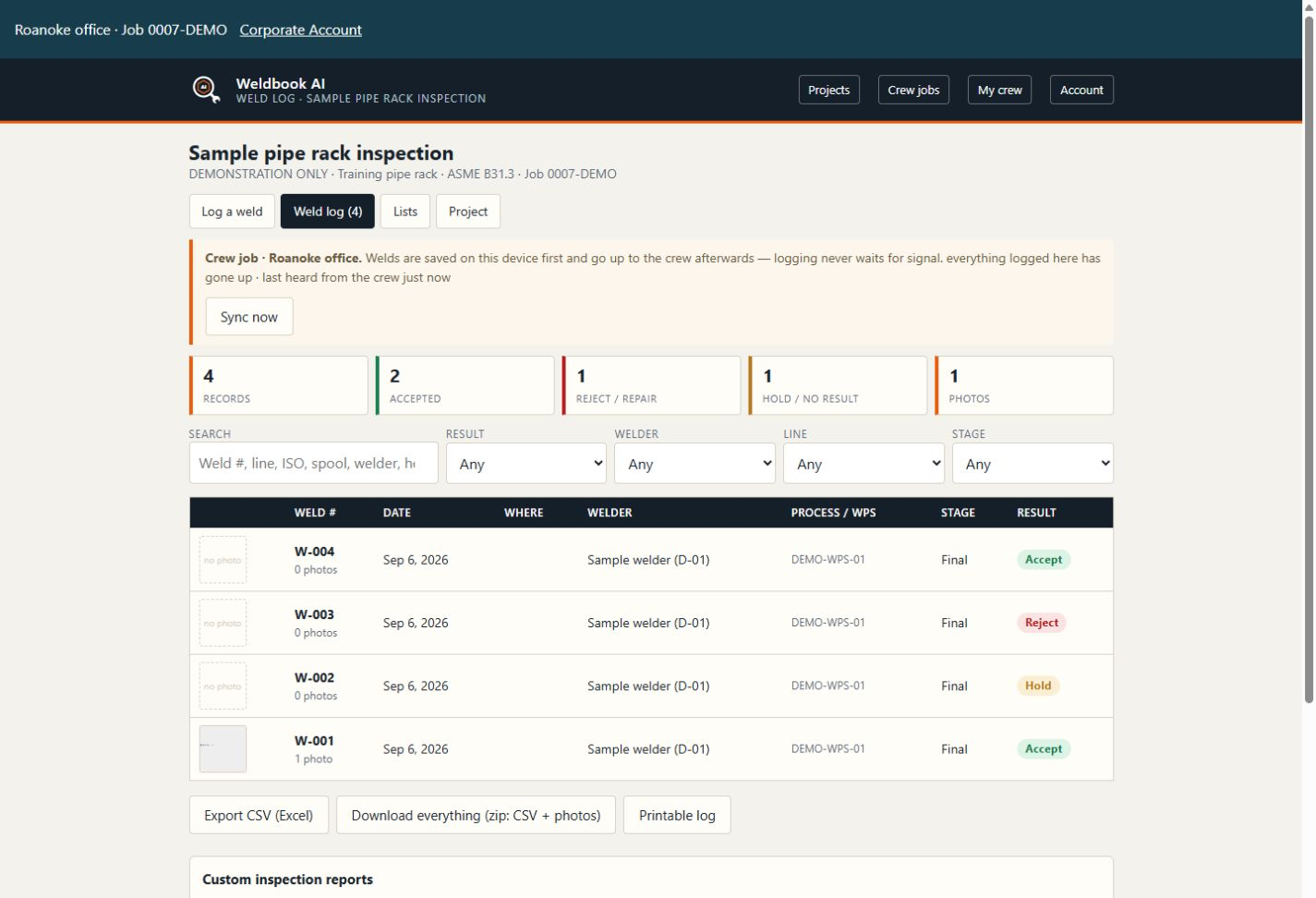
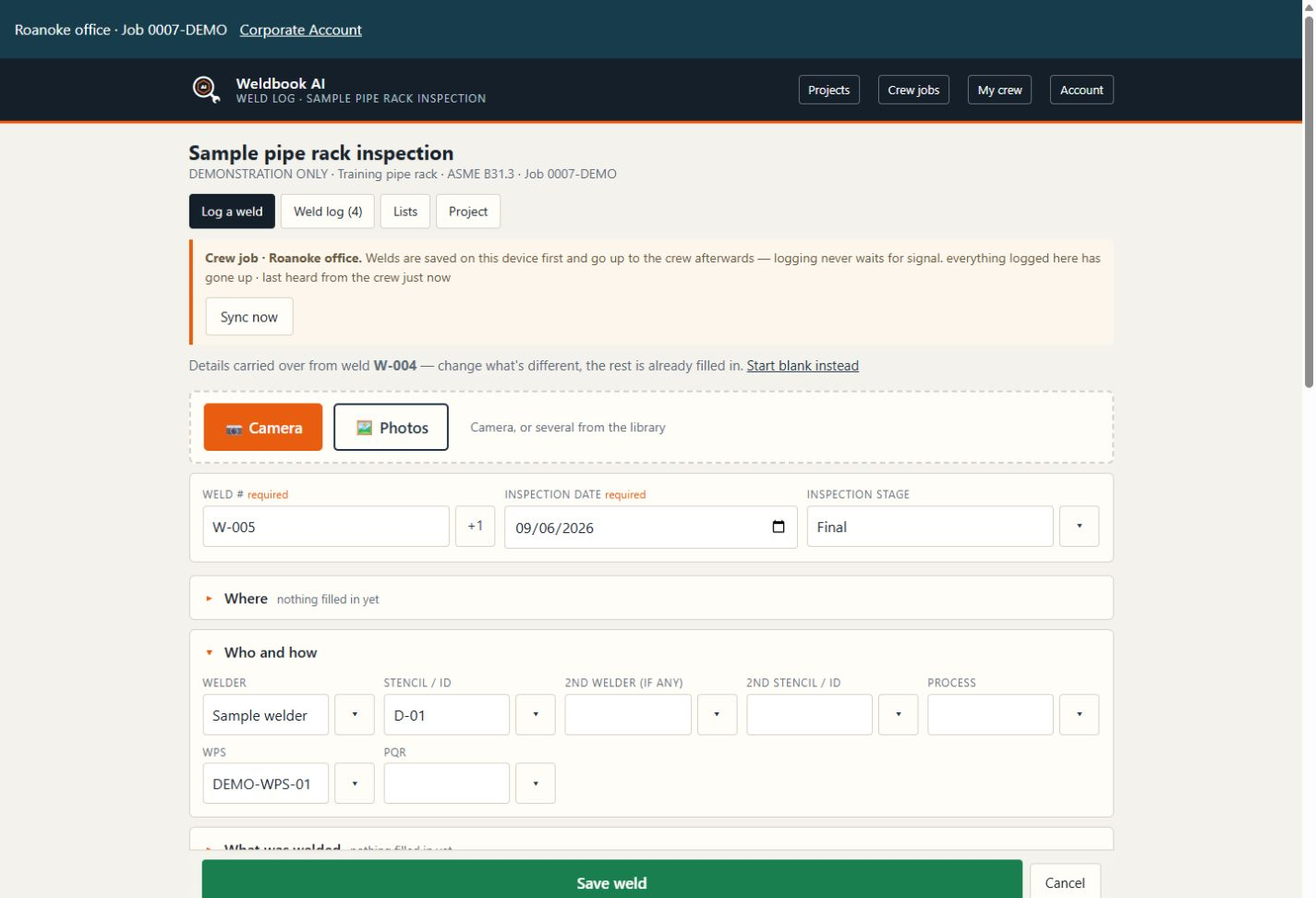
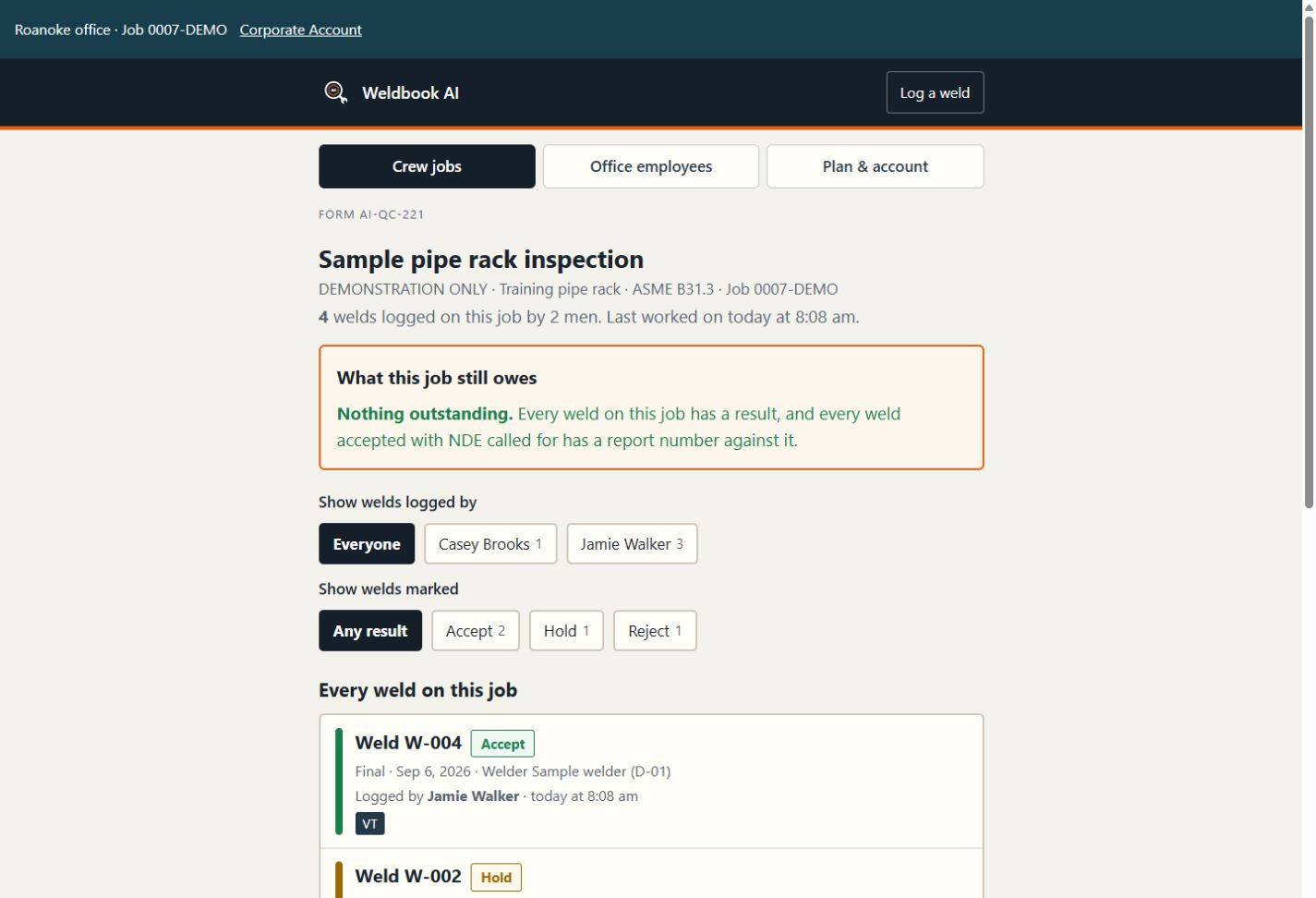
Log welds on your phone. Add weld numbers, welders and photos. Record accept or reject, then print the report or save it as a PDF.
7-day free trial. No credit card. Independent Inspector $9.99/mo. Out now.
Open Weldbook AI on this website and add it to your home screen. App-store versions are still in progress.
Actual Weldbook AI screens with sample inspection records.
You inspected all day. Your weld notes are on paper that’s been in your pocket since 6 AM. Tonight you’ll retype the weld numbers and build the report. The inspection is done. The paperwork is what’s keeping you up.
Weldbook AI was built to kill the hours between the last weld and the finished report.
Open the app on your phone and start a project. Camera first, then the weld — number, welder, WPS, stage, accept or reject — as you inspect it.
Tap NDE methods and defects from lists instead of typing each one. The app remembers the names you use.
Welds log project by project. This job's book is this job's book — no sorting a season of work out of one spreadsheet.
Print one weld record or the whole job. Save it as a PDF, a spreadsheet file (CSV), or a ZIP package with photos. Check it, send it and go home.
The report's done when the last weld is. That's the whole trick.
Open Weldbook AI in your phone’s browser. Use Add to Home Screen from the browser menu to keep it handy. App-store versions are still in progress.
Tick all the codes that apply: B31.1, B31.3, API 1104, AWS D1.1 and others. The pipe and its supports may use different codes.
Check a prequalified WPS against AWS D1.1:2025 Clause 5. If a needed table is not in the app, the sheet names it for you to check. ASME IX jobs get a WPS-against-PQR check.
Raise one, close one, print the list.
Print weld records and the WPS/PQR set, or save them as PDFs. Save a spreadsheet file (CSV) and a ZIP package with photos.
The app never passes or fails a weld. You do. It records your decision and builds the report.
Use the same sign-in on your phone, tablet or computer. Open Weldbook AI on this website or add it to your home screen.
Your own weld records stay in the browser on the device where you entered them. Shared crew jobs are saved on our server. See where records are saved and when crew jobs are deleted below.
For the CWI carrying his own tool — structural work to AWS D1.1, piping to ASME B31.1, B31.3 or API 1104 — and for the QC manager running a crew who wants one log, one format and one bill.
Independent Inspector starts with a 7-day free trial, with no credit card. Offices use Corporate Accounts and pay for the employees and apps they assign.
$9.99/mo
For the one-man shop working his own jobs. Log each weld, add photos and build the report from your entries. Includes AWS D1.1:2025 prequalified-WPS checks. After the trial: $9.99/month.
Try Weldbook free for 7 days$9.99 per assigned Weldbook employee/month
For an office running a crew. Assign Weldbook to each person who needs it. Inspectors share jobs, weld records and photos; managers with job permission create and oversee jobs. Employee app fees and office credits go on the corporate monthly bill. There is no separate QC Manager subscription.
Set up a Corporate AccountBuy through this website. Cancel from your account page at any time. You keep access for the time you already paid for. App-store versions are still in progress.
No. 7 days, free, no card. Try it on a real job. Nothing is charged, nothing is on file to charge, and there is nothing to cancel — the trial ends on its own. If it earns its keep, buy it. If it doesn't, walk.
Buy your plan here on this website. Use Weldbook AI in the browser on your phone, tablet or computer. On your phone, use Add to Home Screen from the browser menu. App-store versions are still in progress.
The app never passes or fails a weld. You do. It records your decision and builds the report.
Create a Corporate Account and assign Weldbook to each person who needs access, including a manager who reviews inspection work. Weldbook costs $9.99 per assigned employee/month. Shared jobs and QC management are included. Office credits cover issued outputs; other assigned apps keep their corporate monthly rates. Regional administration alone does not grant access to weld records.
Yes. Cancel any time from your account page — you keep access through the time you paid for. The trial can't turn into a charge; there's no card on file.
Your records belong to you.
Save your weld records as a spreadsheet file (CSV) or photo package (ZIP) while weld-log access is active. Keep a separate copy before clearing browser data or changing devices. If the only copy is on a lost or cleared device, we cannot recover it.
You can use that app for 7 more days after the date you are paid up to. After that, access to that app pauses. You can still sign in to manage your account and use other apps you have access to.
If you cancel, you keep using the app for the time you already paid for. A free trial stops on its stated end date. Save your weld-log backup while access is still active.
Corporate shared jobs are scheduled for deletion 90 days after their last change. Keep your own exports as you go. Removing a person's app assignment stops their access; it does not erase the office's shared records. Existing legacy crew subscriptions retain their current retention terms. Server storage is not an archive.
Keep whichever one gets the report done first. If the clipboard wins, keep the clipboard.
7-day free trial. No card. No sales call.
Independent Inspector: $9.99/month. Corporate Weldbook: $9.99 per assigned employee/month, including shared crew jobs. Buy through this website.
Weldbook AI · powered by Appalachian Integrity. Appalachian Integrity LLC, Catawba, Virginia.